Business Operations
Best Project Coordination Tools for B2B Teams in 2026
Compare six project coordination tools for B2B teams—scalability, integrations, AI, collaboration, and reporting.
Business Operations
Compare six project coordination tools for B2B teams—scalability, integrations, AI, collaboration, and reporting.
B2B teams in 2026 face increasingly complex workflows, requiring tools that go beyond basic task management. With buyers navigating multi-channel journeys and decisions involving multiple departments, poor coordination can lead to inefficiencies, higher costs, and slower execution. The rise of AI and project management platforms has reshaped how teams collaborate, with over 80% of knowledge workers now relying on such tools. This article reviews six top tools - HeyBuddy Solutions, Asana, Monday.com, ClickUp, Trello, and Jira - evaluating their scalability, integrations, collaboration features, and reporting capabilities to help you choose the best fit for your team.
Each tool caters to different team sizes and needs. Smaller teams may prefer Trello for simplicity, while larger enterprises might lean toward Asana or Jira for scalability and advanced features. Test a tool on a live project before committing to ensure it aligns with your team’s workflow.
HeyBuddy Solutions provides managed support services with a human touch. By pairing Operations Associates with Team Leads and QA specialists, the platform ensures smooth daily operations in areas like customer support, CRM management, workflow coordination, and administrative tasks. This setup helps resolve coordination challenges before they escalate to leadership. Let’s dive into how HeyBuddy’s features streamline operations and support growth.
HeyBuddy makes scaling simple without overwhelming your core team. As Kelly Rice, Founder of HealerHive, shared:
"HeyBuddy helped us bring on associates that fit our team and day-to-day needs. They handled the setup and coordination, and the support integrated seamlessly into our workflow."
From day one, HeyBuddy handles onboarding with clear roles and accountability, ensuring operations remain steady even during transitions.
The platform integrates effortlessly with existing business workflows and tools. It connects with top systems to synchronize data and streamline tasks like customer support, onboarding, intake management, and document workflows. For sales and marketing teams, the Smart Builder tool works with Salesforce to instantly create branded collateral. Meanwhile, the Agentforce integration uses voice commands to automate content creation for specific sales scenarios.
HeyBuddy’s structured team oversight enhances cross-department collaboration. Sherwin Militante, Founder of Special Care, highlighted this benefit:
"Our agent quickly adapted to our processes and exceeded expectations in just a short time. The attention to detail and initiative shown have improved daily operations."
For global teams, HeyBuddy supports multiple languages within a single instance, making it easier to collaborate across borders. Weekly summaries and performance reports keep leaders informed without requiring constant check-ins. Pricing begins at $899 per seat for Shared Capacity (80 hours per month) and $1,600 per seat for Full Capacity Support (160 hours per month). Both plans include Operations Associates, Team Leads, and Account Managers.
Asana is designed to handle the complexities of enterprise workflows. With deployments supporting over 200,000 users, it’s a go-to solution for large B2B organizations. In fact, 85% of Fortune 100 companies rely on Asana for managing their work processes. Below, we dive into the platform's features and why it stands out for B2B teams.
Asana’s "Multi-homing" feature is a game-changer. It allows a single task to exist in multiple projects at once, ensuring updates in one place are reflected everywhere without duplicating work. The platform boasts a 99% uptime and enterprise-grade security standards, including SOC2, GDPR, CCPA, FERPA, and HIPAA compliance. These features make scaling seamless. Plus, teams using Asana report completing 57% more projects on time, with users finishing over three times as much priority work on schedule.
Asana connects with over 300 tools, including Slack, Microsoft Teams, Zoom, Gmail, Outlook, Google Drive, Dropbox, GitHub, and Jira Cloud. For example, Slack messages can be turned into actionable tasks, while the Jira Cloud integration keeps non-technical stakeholders updated on development progress. Additionally, Adobe Creative Cloud integrations allow designers to view task instructions and feedback directly within Photoshop and Illustrator. Rob Goodwin, Executive General Manager of Customer Operations at Xero, summed it up perfectly:
"Now that our plans are connected in Asana and cascade into a collective view, we can execute on a global cross-functional strategy at the scale we need to".
Asana’s Portfolios and Goals features connect individual tasks to larger company objectives, helping teams see how their work aligns with broader strategies. The Workflow Builder simplifies project intake with customizable forms and automation rules, while task dependencies notify team members when blockers are resolved. Teams can choose from multiple views - List, Kanban, Timeline (Gantt), or Calendar - while AI tools highlight risks like bottlenecks or looming deadlines.
For teams needing deep analytics, Asana integrates with Power BI and Tableau, enabling custom reporting beyond its standard dashboards. Pricing starts with a free Personal plan, with advanced plans ranging from $5 to $30 per user per month, alongside custom Enterprise options. These features make it an excellent choice for B2B teams looking for scalable, data-driven project management.
Monday.com is a go-to solution for B2B teams grappling with increasingly complex workflows. With over $1 billion in annual recurring revenue and a customer base exceeding 245,000 worldwide, it’s clear the platform has made a mark in the business world. Recognized as a Leader in the 2025 Gartner Magic Quadrant for both Collaborative Work Management and Adaptive Project Management and Reporting, Monday.com’s capabilities are both versatile and powerful. At its core is the mondayDB infrastructure, designed to handle enterprise-scale workloads with unlimited board items.
One of Monday.com’s standout features is its ability to grow with your team. The Portfolio Management tool connects projects across different departments, offering real-time insights into dependencies and potential risks. For larger organizations, multi-level permissions and detailed audit logs ensure smooth operations as teams expand. Enterprise accounts benefit from executing up to 250,000 automation actions monthly, significantly reducing manual tasks. According to a Forrester Total Economic Impact study, customers reported a 346% ROI, with a payback period of less than four months.
Monday.com seamlessly integrates with over 200 tools, including Salesforce, Slack, Microsoft Teams, Jira Cloud, and Adobe Creative Cloud. It also offers two-way synchronization with CRMs like HubSpot and Pipedrive, ensuring sales and project data stay aligned. Compatibility with Google Workspace (Gmail, Drive, Calendar) and Microsoft 365 (Outlook, Teams, OneDrive) further enhances its utility. For businesses with unique needs, the platform’s Open API makes it possible to connect proprietary systems. Duncan McHugh, Chief Operations Officer, emphasized its impact:
"monday.com is the link that holds our business together - connecting our support office and stores with the visibility to move fast, stay consistent, and understand the impact on revenue."
These integrations enable teams to collaborate effortlessly and efficiently.
Monday.com acts as a central hub, bridging high-level strategies with day-to-day execution across departments like marketing, IT, HR, finance, and more. Teams can visualize data in various formats - Gantt, Kanban, Timeline, or Workload - making it easier to coordinate across departments. Cross-board automation ensures updates flow seamlessly between connected projects, reducing the risk of miscommunication during complex transitions. The platform’s AI features include tools for spotting risks, categorizing project requests, and summarizing lengthy update threads automatically. Pricing starts with a free plan for up to two seats, with paid options ranging from $9 to $19 per user per month, alongside custom Enterprise plans.
Dashboards on Monday.com can pull data from up to 50 boards, offering executives a comprehensive view of organizational performance. The platform’s AI Blocks use natural language prompts to create project plans and flag potential delays before they disrupt timelines. For those needing more in-depth analytics, the Enterprise plan provides 1,000+ AI credits monthly and integrates with external business intelligence tools.
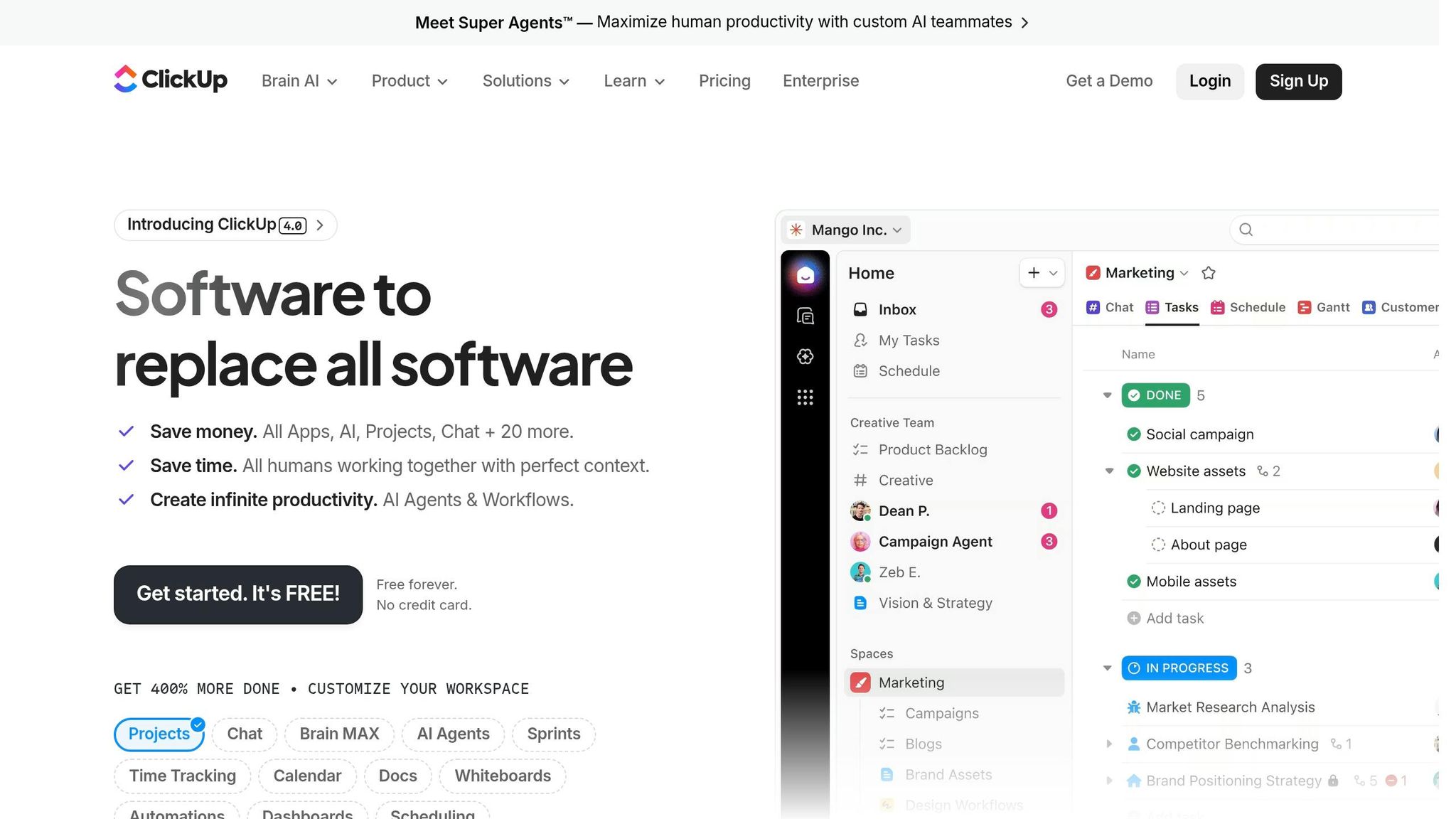
ClickUp tackles the challenges of B2B coordination by bringing tools together in one platform and simplifying processes. With 85% of Fortune 500 companies using it, ClickUp has proven its value by delivering a 384% ROI over three years. Organizations report saving an average of 92,400 hours by cutting down manual work and boosting productivity. On top of that, most customers see payback in less than six months. With over 10,000 reviews on G2, ClickUp holds an impressive 4.7/5 rating.
ClickUp's detailed structural hierarchy - Workspace > Space > Folder > List > Task > Subtask - helps teams scale from simple task management to overseeing major corporate initiatives. Its RapidViews DB™ ensures the platform remains fast and efficient as data grows, supported by a 99.9% uptime guarantee and regional data residency options across the US, EU, and APAC. By consolidating four to five specialized tools into one, ClickUp minimizes operational friction. Its AI-powered ClickUp Brain automates status updates, creates project summaries, and flags risks, making it easier for teams to grow without losing efficiency.
ClickUp integrates with over 1,000 tools. It offers two-way email sync with Gmail and Outlook, allowing users to create tasks and reply to comments directly from their inboxes. For B2B-specific needs, it connects seamlessly with CRM platforms like Salesforce and HubSpot, as well as developer tools like GitHub and GitLab, linking commits and pull requests to tasks. Migrating from other platforms? ClickUp’s one-click importers make it simple to transfer data from Asana, Trello, Jira, and Monday.com. Plus, the Enterprise Search feature within ClickUp Brain lets users search across all connected apps, including Slack, Google Drive, and Box.
ClickUp enhances team communication with built-in Chat for real-time messaging and an "Assign Comments" feature that turns feedback into actionable tasks. The Clips tool supports screen and voice messages, while the Docs feature lets teams create wikis and standard operating procedures alongside tasks. For visual thinkers, Whiteboards allow brainstorming with sticky notes that can instantly be converted into tasks.
Alex Wright, Editor-in-Chief at Digioffly, explains the power of ClickUp’s AI:
"ClickUp Brain is deeply integrated into your company's data. You can ask it, 'What is the status of the rebrand?' and it will read all tasks, comments, and docs to generate a perfect summary."
The Goals feature ties daily tasks to broader strategic objectives, giving leadership a clear view of progress. Pricing starts with a free plan offering unlimited tasks and members, while paid plans range from $7 to $12 per user per month, with custom Enterprise options also available.
ClickUp goes beyond collaboration by offering advanced reporting tools. Customizable dashboards provide a detailed view of organizational performance, while the Workload view helps with capacity planning. Sprint velocity charts track team progress, and its AI can even summarize lengthy comment threads. For users who find the interface overwhelming, the "Me Mode" feature simplifies things by showing only assigned tasks, helping individuals stay focused. Onboarding typically takes 20–40 hours to fully set up the platform.
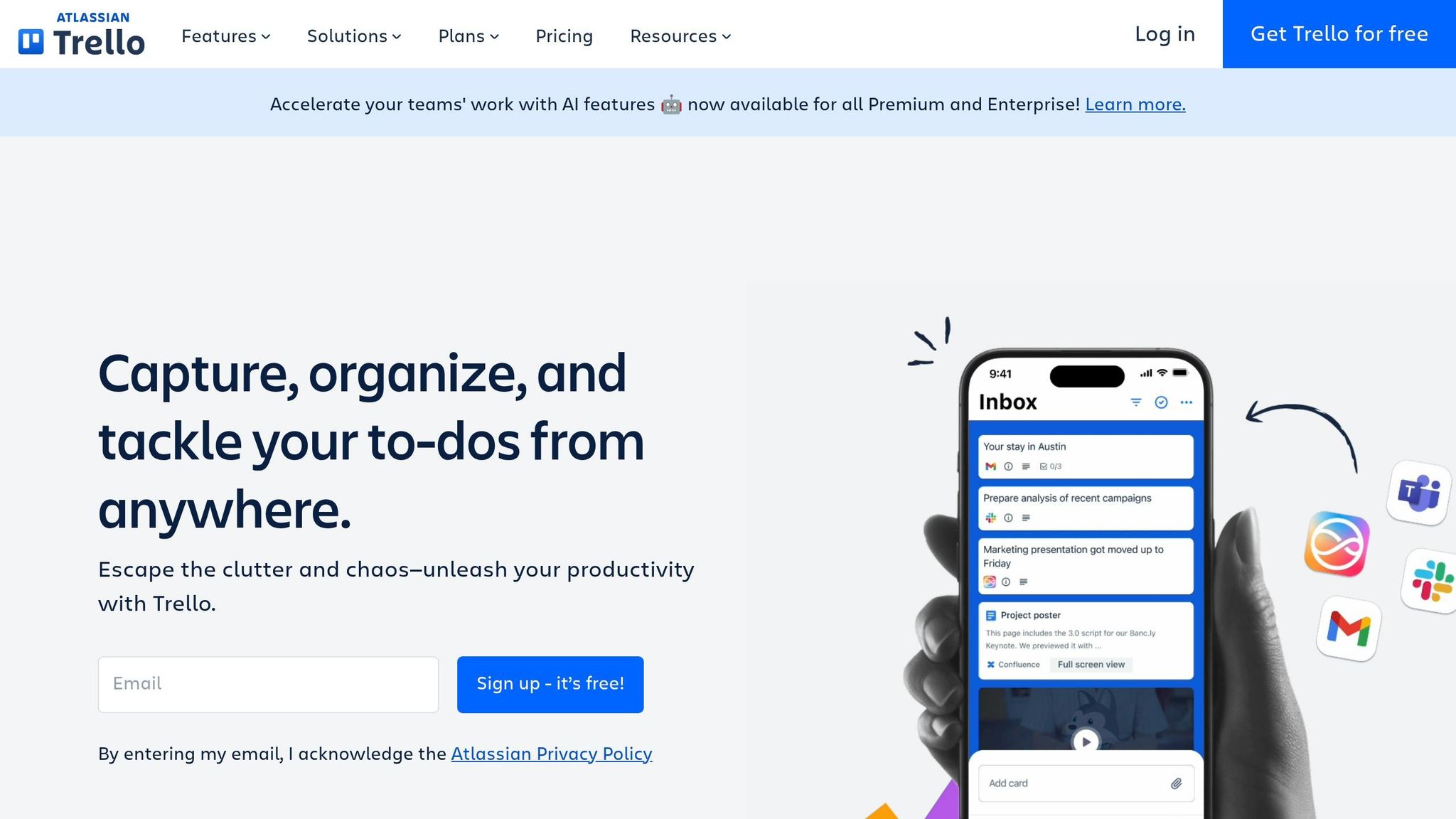
Trello simplifies B2B coordination with its Kanban boards, providing a clear way to visualize tasks. With over 50 million users globally and adoption by 80% of Fortune 500 companies, it’s a go-to tool for teams seeking straightforward task management without unnecessary complexity. Its easy-to-use interface makes it a favorite, with 75% of organizations reporting measurable benefits within just 30 days of using the platform.
Trello’s design easily adapts to growing team needs. Pricing options range from Free (for up to 10 collaborators) to Standard ($5 per user/month), Premium ($10 per user/month), and Enterprise ($17.50 per user/month, billed annually). The Enterprise plan, aimed at larger organizations with 50+ users, comes with a $10,000 annual minimum, offering perks like dedicated support, 99.99% uptime, and enhanced SAML SSO. Administrators can manage permissions through a central Admin Dashboard, controlling access at various levels - individual, board, or company-wide. For larger projects, Trello’s Card Mirroring feature keeps tasks in sync across boards, instantly reflecting updates.
Trello integrates with over 200 tools through its Power-Ups ecosystem, including popular platforms like Slack, Microsoft Teams, Google Drive, Jira, and Salesforce. The AI-powered Quick Capture tool converts scattered tasks from Slack or Teams into organized Trello cards. Similarly, the Email Magic feature allows users to forward emails to a Trello Inbox, where AI transforms them into actionable tasks complete with links. Integration options vary by plan - the Free tier allows one Power-Up per board, while Standard and higher tiers unlock unlimited Power-Ups. Sumeet Moghe, Product Manager at ThoughtWorks, highlights Trello’s flexibility:
"Whether someone is in the office, working from home, or working on-site with a client, everyone can share context and information through Trello".
These integrations make Trello a versatile tool for managing tasks across various B2B workflows.
Trello supports teamwork with features tailored for real-time collaboration. Advanced Checklists let teams assign subtasks to specific members and set individual due dates, while Custom Fields allow users to add structured data like text, numbers, dropdowns, or checkboxes to align with B2B needs. Teams can switch between multiple views - Kanban, Timeline, Table, Calendar, or Dashboard - to track progress in a way that suits them best. The built-in Butler automation engine eliminates repetitive tasks by automating actions like moving cards, assigning members, or sending due date reminders. Surveys show that 74% of users report improved team communication, and 81% cite ease of use as a primary reason for choosing Trello. These features make it a strong option for teams needing agile and scalable task management solutions.
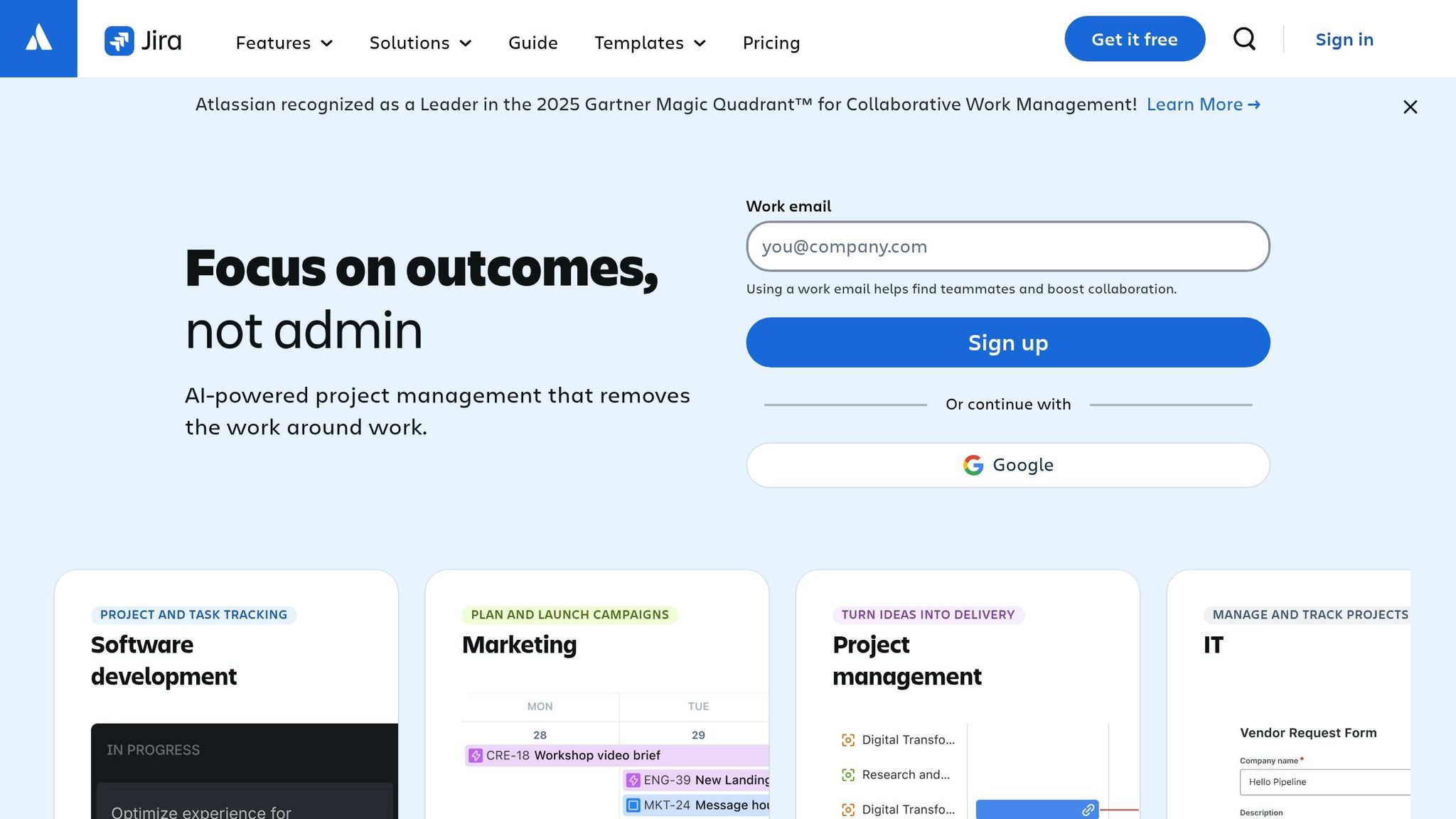
Jira stands out as a top-tier tool for managing complex technical projects, with over 80% of Fortune 500 companies using it to streamline project coordination. For organizations adopting Jira Cloud Enterprise, the benefits are clear: a reported 230% ROI over three years, making it a smart option for teams looking to maximize long-term value.
Jira's Enterprise plan is designed with scalability in mind. It supports multiple sites without extra costs, which is a game-changer for B2B teams. This feature allows for secure data segregation and custom use cases, while Rovo AI automates tasks like planning, risk identification, and integrating third-party data.
Radoslav Danchev, VP of Collaboration at Software AG, highlights this flexibility:
"Creating multiple sites without any additional costs allows you to segregate data for security reasons and accommodate multiple use cases with the same solution".
Ryan Mosley, Chief of Factory & Engineering Modernization at DHCS, shared a real-world example of Jira's cost-saving potential:
"By tracking everything in Jira and all of our developer tools, we reduced the cost to get the team set up and deliver the product from $2.8 million to $600,000".
Additionally, Jira supports multiple sandboxes per site, enabling teams to test workflow changes in parallel. This is especially useful for large-scale B2B operations tackling complex client needs.
Jira offers over 3,000 integrations through the Atlassian Marketplace, connecting seamlessly with tools like Slack, Microsoft Teams, GitHub, and Salesforce. One standout feature is the bidirectional Salesforce integration, which lets B2B teams sync customer account data with development tasks. This helps prioritize work based on account value while reducing manual data entry time by 62% and cutting errors by 47%.
For smooth cross-system workflows, teams often designate Jira as the source of truth for development statuses (such as "In Progress") and Salesforce for customer-facing updates (like "Scheduled"). This approach minimizes synchronization conflicts. The platform's integration capabilities make it equally effective for agile and traditional collaborative workflows.
Jira supports a variety of workflows, from agile methods like Scrum and Kanban to more traditional approaches, making it versatile for B2B teams. The Advanced Roadmaps feature is particularly useful for managers, offering a clear view of how tasks connect across up to 20 teams (roughly 50–150 people). Specialized reports on Capacity, Dependencies, and Schedules help teams address potential conflicts before they derail timelines - essential for complex projects involving multiple departments.
For larger enterprises, Jira Align takes coordination to the next level. It supports hundreds or even thousands of users across multiple Jira instances, aligning strategic goals with actionable outcomes using frameworks like SAFe and LeSS.
Jira's reporting tools cater to both agile and traditional methodologies. Scrum teams can use Burndown and Velocity charts to forecast capacity based on past performance, while Kanban teams benefit from Cumulative Flow Diagrams and Control Charts to pinpoint bottlenecks and analyze cycle times.
For more tailored insights, the Jira Query Language (JQL) allows teams to create custom filters, which can be saved as dashboard gadgets for real-time tracking of key performance indicators (KPIs). On an enterprise scale, Jira integrates with business intelligence tools like Power BI, Tableau, and Google BigQuery. This enables teams to combine Jira data with external datasets from CRM or ERP systems for deeper analysis.
Oxana Trotsenko, Former Chief of Staff of Digital Technology at United Airlines, explained the added value:
"We have a strong focus on tightening security, so single sign-on was a big factor for security and data governance. Atlassian Analytics has also been critical for accelerating improvement cycles".
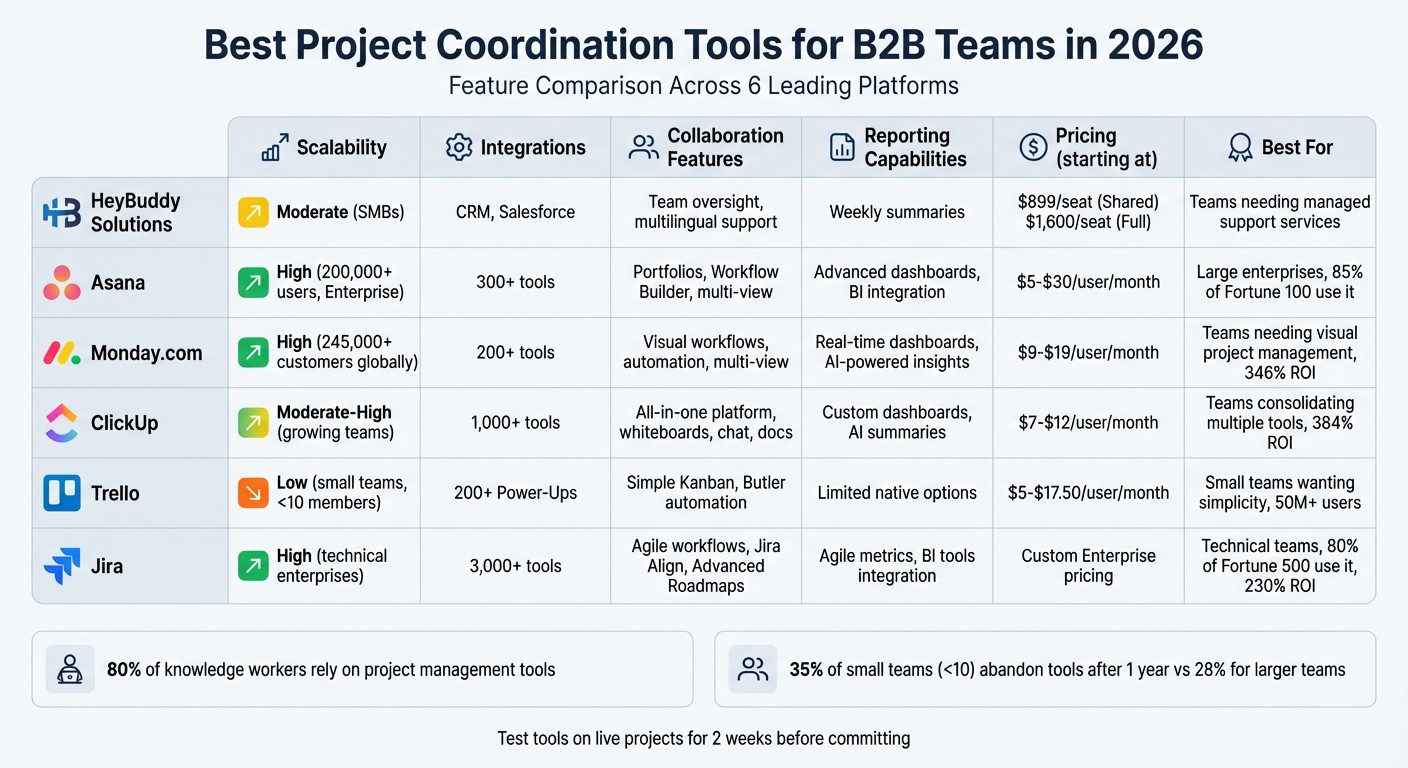
Different tools shine or fall short depending on factors like team size, technical know-how, and operational needs. Let’s break it down:
Asana is a powerhouse for large enterprises, offering scalability for teams with 1,000+ users and up to 25,000 monthly automation actions on its Advanced plan. Its premium features, such as portfolio management and advanced reporting, come at a cost, starting at $24.99 per user per month.
Monday.com is known for its visual workflows and adaptability, which have helped it achieve over $1 billion in annual recurring revenue and a user base of more than 245,000 customers. While its no-code automation builder is flexible, lower-tier plans come with limited integration actions.
ClickUp delivers exceptional value for growing teams, with its Unlimited plan priced at just $7 per user per month. It combines tasks, documents, chat, and whiteboards into one platform. However, its interface can feel cluttered and overwhelming for new users, presenting a learning curve.
Jira is a favorite for technical teams, boasting over 3,000 integrations and detailed Agile metrics. That said, its complexity often makes it less suitable for non-technical teams like marketing or HR. Many users find it challenging to set up and maintain.
Trello is a straightforward option priced at $5 per user per month. It’s perfect for small teams (fewer than 10 members) but falls short when it comes to native reporting and scalability. Teams often outgrow it as their projects increase in complexity.
Here’s a quick comparison to help you evaluate these tools at a glance:
When choosing a tool, it’s crucial to consider both functionality and ease of use. Statistics show that 35% of teams with fewer than 10 employees abandon project management tools after one year, compared to 28% for larger teams. This highlights the importance of selecting a solution that balances advanced features with user-friendliness. Tools like Monday.com and Asana often achieve this balance, while Jira’s complexity can sometimes limit its appeal outside of engineering-focused teams.
Pick a platform that your team will actually use and that can grow with your organization. As Emily Nakamura from ProPicked puts it:
"The best project management tool is the one your team will actually use consistently".
The use of project management tools has grown significantly, with more knowledge workers depending on these platforms to handle increasingly complex workflows. This trend underscores the importance of choosing the right tool for your specific needs.
Consider team size and budget. Smaller teams with fewer than 10 members often do well with simpler tools, while fast-growing startups might need platforms that consolidate multiple functions. Mid-sized teams aiming for goal alignment may prefer tools with strong portfolio management features. Meanwhile, enterprises in regulated sectors might prioritize platforms with advanced compliance options.
Another major shift is the integration of AI into project management. AI capabilities are becoming essential, with tools like Monday Agents, Asana AI Teammates, and ClickUp Super Agents automating tasks such as project updates and risk identification. Pricing structures differ: Asana and Jira include AI features in their standard plans, while Monday.com and ClickUp charge extra per user for AI functionality. As Axis Intelligence cautions:
"Choosing a platform without a credible AI roadmap in 2026 is a procurement risk".
To make the best choice, test the tool on a live project for two weeks to identify any workflow issues. Assign someone to oversee the platform and fully transition from older systems within 30 days to prevent inefficiencies caused by juggling multiple tools. In today’s fast-changing environment, selecting a tool that balances immediate productivity with long-term adaptability will ensure your team’s success without the need for disruptive changes down the line.
To find the right tool, start by assessing your team’s size, workflow, and specific needs. Smaller teams might lean toward simpler, more intuitive platforms, while larger teams often need tools with advanced features designed for enterprise use. Look at key aspects like integration options, automation capabilities, and scalability to ensure the tool aligns with your team’s goals. Matching the tool’s functionality with your team’s objectives can help boost both productivity and collaboration.
When it comes to B2B coordination, certain integrations stand out as essential. These include tools that support real-time messaging, file sharing, workflow automation, and smooth connectivity with enterprise systems.
Platforms such as Slack and Microsoft Teams offer extensive app ecosystems that elevate collaboration and efficiency. By integrating these tools, teams can streamline workflows and stay aligned, ensuring better productivity across the board.
By 2026, some key AI features are set to reshape how businesses operate. These include predictive analytics, risk management, autonomous task orchestration, operational governance, and knowledge management.
These tools aren't just about automating workflows - they're about enhancing decision-making and driving efficiency in project management. In a world where staying competitive is everything, leveraging these capabilities will be essential for organizations aiming to stay ahead.
Our platform is designed to empower businesses of all sizes to work smarter and achieve their goals with confidence.
May 18, 2026
Best Freelance Sites for Businesses in 2026 and Why Some Teams Outgrow Them
Apr 17, 2026
In-House vs Managed Operations: What Growing Teams Need
Apr 5, 2026
7 Signs Your Team Needs Operational Support
Mar 5, 2026
Outsourcing Customer Support for Startups